
San Antonio physician practices, specialty clinics, surgical centers, and multi-location groups
Healthcare IT Support in San Antonio
A medical practice runs on systems that cannot go down and cannot leak. ASAP Computer Services provides healthcare IT support and managed IT services for San Antonio medical practices: the network, servers, and workstations your EHR runs on, HIPAA and Texas HB 300 controls that hold up to scrutiny, tested backups, and a help desk that answers during patient hours. We sign a Business Associate Agreement with every healthcare client, and we have supported San Antonio practices since 1999.
- EHR and clinical systems kept available, with direct coordination with your EHR, lab, efax, and imaging vendors
- HIPAA Security Rule controls in practice: unique user IDs, MFA, encryption at rest and in transit, audit logging, and documentation for your risk assessment
- Breach readiness with a documented incident response plan and 4-hour incident notification written into your agreement
- New locations and expansions from cabling and network to telehealth AV, self-performed by one team
We sign BAAs
Published per-user pricing
What a medical office relies on every day
A physician practice depends on technology at every step of a visit. Registration and scheduling have to be up, exam room and front desk workstations have to keep pace with charting, and staff need reliable access to the chart, the patient portal, efax, and the labs, pharmacies, hospitals, and payers the practice coordinates with. When any link in that chain fails, the delay shows up in check-in, rooming, documentation, and billing within minutes.
Most of that friction is not one dramatic outage. It is the recurring stuff: slow logins, printers that drop, wireless dead zones in the back hallway, a shared drive that comes and goes, and vendors who point at each other when something breaks. A practical support plan fixes the causes, keeps systems maintained, and gives staff one number to call.
EHR, practice management, and the vendors around them

Whether your practice runs eClinicalWorks, athenahealth, NextGen, AdvancedMD, Tebra, ModMed, WebPT, or connects to a hospital system through Epic or Cerner, we support the servers, workstations, and network the EHR depends on, and we act as the technical point of contact with the vendor when a database, update, interface, or connectivity problem needs solving. The same goes for practice management, patient portals, efax, e-prescribing with two-factor authentication for controlled substances, lab interfaces, and secure email for referrals.
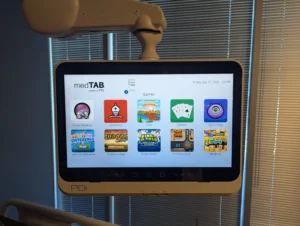
That coverage extends to the whole clinical footprint: exam room and nursing station workstations, secure printing, check-in kiosks and tablets, and the telehealth carts, cameras, and patient room displays we install through our healthcare audio visual installation service. Because ASAP also self-performs structured cabling, fiber, and network infrastructure, a new location or an expansion is one accountable team from the wall jack to the cloud.
What we manage for medical practices
- Help desk for the login, printer, and application problems that stall patient flow
- Network monitoring, switching, firewalls, and wireless for exam rooms and clinical areas
- Servers and workstations for EHR, practice management, and imaging
- Microsoft 365, secure email, and identity administration
- Unique user accounts, role-based permissions, MFA, and timely deactivation
- Update planning for operating systems and clinical applications, scheduled around patient hours
- Encrypted, verified backups with tested restores
- Endpoint detection and response, email security, and 12-month security log retention
- Vendor coordination for EHR, efax, labs, imaging, internet, and phones
If your environment grew one provider at a time, we document what exists today and lay out a practical path to standardize the systems that matter most without disrupting the schedule.
How we keep disruption low
We start with what interrupts the office most often, whether that is wireless instability, a workstation that struggles with charting, recurring login problems, or a printer that fails at intake, and fix the cause rather than the symptom. Most practices see fast improvement once the network foundation and workstation standards are consistent.
When something breaks, managed plan clients in San Antonio proper get a 1-hour on-site response guarantee for emergencies during plan coverage hours, 7:30 AM to 7:30 PM, Monday through Friday. Remote tickets usually get a first response in minutes, and a live person answers the phone.
Every managed plan includes a quarterly technology review, so budgeting, equipment replacement, and growth get planned rather than reacted to.
Request the healthcare technology review
Local team. Clear next steps. Fast response.
The questions you should ask any healthcare IT provider, answered

HIPAA compliance is a continuous process, and it rests with the practice. What an IT provider owes you is the technical safeguards, the documentation, and straight answers to the questions a practice administrator should ask before signing anything. Here are ours.
- Will you sign a Business Associate Agreement? Yes, before we touch the network. Any IT provider with access to your systems is a business associate under HIPAA and shares the responsibility for protecting PHI. A provider who hesitates is telling you something.
- How is our data encrypted? Device encryption on workstations and laptops, encrypted backups, and encrypted email and remote access for data in transit. Unencrypted devices are one of the most common findings in a breach investigation, and one of the easiest to close.
- How do you handle logins and MFA? Every staff member gets a unique user ID. No shared “FrontDesk” accounts. MFA is enforced on email, remote access, and administrative accounts, and access is removed the day someone leaves. That is what lets an audit log show who accessed what, and when.
- Do you support our annual Security Risk Assessment? Yes. We supply the asset inventory, access lists, configuration evidence, and security logs your SRA needs, and we help document the technical findings so they are usable in an audit.
- What happens if we are hit with ransomware or a breach? We work from a documented incident response plan: isolate the affected systems, preserve evidence, restore from verified backups, and give you the technical facts you need to make a breach determination and meet notification deadlines. Incident notification to you within 4 hours is written into our agreement.
- Is your own staff trained? Our technicians work under BAAs, use named accounts with MFA, and are trained on HIPAA and Texas privacy requirements. We also provide security awareness training for your staff, because phishing is how most healthcare breaches start.
For the full breakdown of physical and technical safeguards, Zero Trust controls, and our 24/7 SOC as a Service coverage, see our computer security and cybersecurity page.
Texas HB 300 and the Texas Medical Records Privacy Act
Texas practices answer to more than HIPAA. The Texas Medical Records Privacy Act, amended by HB 300, uses a broader definition of covered entity that reaches IT and computer management companies handling patient information, and it requires practices to train workforce members on privacy within 90 days of hire and at least every two years. Training records and policies are the practice’s responsibility. The IT controls that back them up, and the documentation that proves they exist, are ours.
If your practice also needs physical access control, door access, badge systems, or camera coverage, we install that too, under Texas DPS Private Security Program licensing.
Growing practices, new locations, and multi-site groups
Adding a provider, opening a second location, or joining a group changes the technology picture. We help San Antonio practices make those decisions with the guidance a larger organization gets from a salaried CIO, without the salary: infrastructure planning that scales with providers and locations, cloud migrations done with compliance intact, network design built for clinical environments, and a practical roadmap that translates HIPAA requirements into work you can schedule and afford.
For multi-location groups, we connect the sites securely, keep the EHR and workstation standards consistent across offices, and give every location the same support process. For new offices, our turnkey office IT build-out service covers cabling, network, workstations, phones, and patient room AV, coordinated so opening day just works. Our Microsoft 365 management service covers email, identity, and retention for practices moving to the cloud.
Pricing for practices of 5 to 100 users
Healthcare-specialist IT providers commonly charge $150 or more per user per month with a minimum seat count. Our managed IT plans for San Antonio medical practices run about $85 per user per month as a typical figure, on an annual agreement, with practices of up to seven users starting at $500 per month flat. The controls above are included, not sold as add-ons. Full detail is on our managed IT services cost page. Practices with internal IT staff can use our co-managed IT option instead.
How an engagement typically starts
- Initial intake to confirm providers, locations, EHR and key systems, and the issues affecting patient flow.
- Technology and HIPAA readiness review covering network stability, workstation patterns, access setup, encryption, backups, and the gaps an auditor would find first.
- Service plan with priorities, practical recommendations, and options for ongoing management.
If you already have staff who handle basic tasks, we work alongside them. If you do not, we provide a structured support process so your team always has a clear path for help.
Questions medical offices often ask
Will ASAP sign a Business Associate Agreement?
Yes. We sign a Business Associate Agreement with every San Antonio healthcare client before we begin work, because our team has access to systems that hold protected health information.
Can ASAP coordinate with EHR, lab, and efax vendors?
Yes. We support the servers, workstations, and network your EHR and practice management systems run on, and we act as the technical point of contact with eClinicalWorks, athenahealth, NextGen, and similar vendors when troubleshooting needs technical details.
Which HIPAA safeguards does ASAP handle?
The technical ones: unique user accounts instead of shared logins, role-based access, multi-factor authentication, device and backup encryption, security logging retained for 12 months, timely deactivation, and documentation for your risk assessment. Compliance itself rests with the practice, and we build and document the environment that supports it.
Does ASAP help with our Security Risk Assessment?
Yes. We provide the asset inventory, access lists, configuration evidence, and logs your annual Security Risk Assessment needs, and help document the technical findings so they hold up in an audit.
What happens if our practice is hit with ransomware?
We follow a documented incident response plan: isolate affected systems, preserve evidence, restore from verified backups, and give you the technical facts needed for a breach determination. Incident notification to you within 4 hours is written into our agreement.
Does Texas HB 300 apply to our practice?
Yes. Texas practices fall under both HIPAA and the Texas Medical Records Privacy Act as amended by HB 300, which adds staff training requirements and a broader definition of covered entity. We provide the IT controls and documentation; training and policies remain the practice’s responsibility.
Does ASAP provide on site service in San Antonio?
Yes. Many issues can be handled remotely, but when hardware, cabling, or testing is required, we respond locally. Managed plan clients in San Antonio proper have a 1-hour on-site response guarantee for emergencies during plan coverage hours.
What does healthcare IT support cost?
About $85 per user per month is typical for San Antonio medical practices on an annual managed plan, with practices of up to seven users starting at $500 per month flat. Security controls, backups, and the help desk are included rather than sold as add-ons.
Ready to improve reliability and HIPAA readiness?
If you want a clear picture of what is causing downtime or where an auditor would find gaps, request the healthcare technology and HIPAA readiness review. We will confirm the basics, identify priority fixes, and outline practical next steps.
