
ASAP Chromebook Fleet Management & Google Workspace Managed Services
ASAP Computer Services provides Chromebook fleet management, ChromeOS provisioning, and Google Admin console administration for San Antonio Enterprise and Education organizations, including contractors and subcontractors whose customers require them to operate inside the Google ecosystem, and schools managing student and staff devices. Those are the two options you get when you enroll a Chromebook, Enterprise or Education, and we manage both. This service is delivered under a managed IT services SLA contract. We manage your Chromebook fleet as a business environment, not as a pile of laptops waiting to break. Please note: this is a business fleet service only, we do not provide residential or break-fix consumer services for individual Chromebook devices.
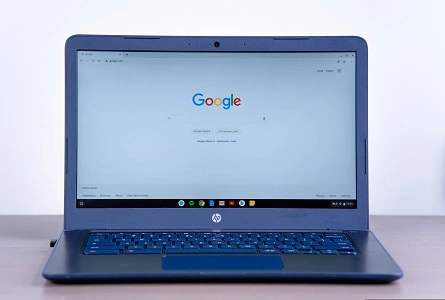
Why ASAP Manages Chromebook Fleets for Enterprise and Education IT
We use Workspace ourselves and love it. And since Chromebooks remain the standard in classrooms, and education is one of the environments we serve: school districts, charter schools, and private schools running Google Workspace for Education face the same enrollment, policy, and lifecycle challenges as any business fleet, often at much larger device counts.
Increasingly, enterprises and prime contractors, particularly organizations working with Google, require their vendors and subcontractors to conduct work on managed ChromeOS devices inside a managed Google Workspace environment.
And yes, if your team already calls them “Chromies,” you are in good company. That is what the people who use them every day call them, and it is what we call them too. They are not just for schools and fortune 500, healthcare, dental, manufacturing, construction firms and many more businesses all have valid use cases for the Chromebook.
That creates a practical problem for the subcontractor: you now own a fleet of Chromebooks, a Google Admin console full of policy decisions, and compliance obligations, and no one on staff whose job is to manage any of it. Devices need to be enrolled, policies need to be enforced, users need to be provisioned, and hardware needs to be tracked, triaged, and eventually replaced.
That is the gap we fill. ASAP currently manages an enterprise Chromebook fleet for a large specialty prime contractor operating under exactly these requirements, with delegated administrative access to their Google Admin console and Workspace environment. Chromebook fleet management is a service we perform in production today, not a capability we are announcing.
What ASAP Provides for Chromebook Fleets
Depending on the client’s support arrangement, a managed Chromebook program can include:
Provisioning & Enrollment
White-glove enrollment of new Chromebooks into your Google Workspace domain, unboxed, enrolled, policy-applied, asset-tagged, and ready for the employee. Devices can be dropped off in bulk at our office and returned ready for issue.
Google Admin Console Management
Ongoing administration of your ChromeOS device policies: organizational units, enforced sign-in, managed guest sessions, update channels, kiosk and app policies, Wi-Fi and certificate configuration, and device state management.
User & Workspace Administration
User provisioning and deprovisioning, group and OU structure, license assignment, and Workspace configuration so that a new hire gets a working account and a working device, and a departing employee loses access the same day.
Device Lifecycle & Asset Tracking
Inventory visibility across the fleet: models, serial numbers, assigned users, Auto Update Expiration (AUE) dates, warranty status, and replacement planning, so devices are retired on a schedule, not in an emergency.
Hardware Triage & RMA Coordination
When a Chromebook physically fails, we diagnose it, determine whether warranty or RMA coverage applies, coordinate the manufacturer’s process, and re-enroll the replacement, instead of treating every failure as a new purchase.
Decommissioning & Reassignment
Secure wipe, deprovisioning, and re-enrollment when devices change hands, plus documented end-of-life handling when a unit is retired from the fleet.
ASAP’s Service Model: Depot First
Chromebook fleet work is batch work. Enrollment, policy application, hardware triage, and re-imaging are all faster, and less expensive for you, when performed on a bench in our office rather than at a desk in yours. That is why depot service is our standard model for Chromebook fleet management.
Standard
Depot Service (Drop-Off)
- Drop devices off at our North San Antonio office, individually or in mass
- Bulk provisioning days for new fleet rollouts
- Defined turnaround expectations per batch
- Lower cost per device than dispatched service
- Ideal for ongoing lifecycle work: enrollment, triage, refresh, retirement
By Quote
On-Site Engagements
- Available for large initial deployments and scheduled refresh events
- Typically quoted for engagements of 50+ devices
- Priced per engagement rather than as a standing SLA
- Ask us, if the scope justifies it, we will scope it
Note: Day-to-day Google Admin console and Workspace management is performed remotely regardless of service model, physical devices only need to come to us when hands-on work is required.
Why Choose ASAP for Chromebook Fleet Management
- Real production experience: we manage an enterprise Chromebook fleet under delegated Google Admin access today, for a contractor working within Google’s supply-chain requirements.
- Decades of fleet management: ASAP has supported business hardware fleets since 1999, Dell, HP, and Lenovo laptops, desktops, workstations, and servers across San Antonio.
- Full IT context: a Chromebook fleet still touches networking, security, identity, printers, and the rest of your environment. We manage the device as part of the business, not in isolation.
- Education ready: we manage Chromebook fleets for schools and education organizations, including Google Workspace for Education environments and large student device counts.
- Local and accountable: your devices are dropped off at a local office and handled by local technicians, not shipped to a depot three states away.
ASAP Chromebook Fleet Management FAQs
Can ASAP take over an existing Chromebook fleet?
Yes. We can assume delegated administration of your existing Google Admin console and Workspace environment, audit current device and policy state, and bring the fleet under a managed support arrangement.
Our customer or prime contractor told us we have to use Chromebooks. Can ASAP help?
Yes, this is one of the most common ways Chromebook fleets begin. We can help you stand up the Workspace environment, enroll the devices, configure policies to the requiring party’s expectations, and manage the fleet going forward.
Do we have to buy Chromebooks through ASAP?
No. We can enroll and manage devices you already own. If you are sourcing new hardware, we can advise on models, Chrome Enterprise licensing, and Auto Update Expiration dates before you purchase.
Can ASAP provision a large batch of Chromebooks at once?
Yes. Bulk drop-off provisioning is a core part of the service. Devices are enrolled, policy-applied, tagged, and returned ready for issue as a batch.
Does ASAP provide on-site Chromebook support?
Our standard model is depot service, devices are dropped off at our San Antonio office. On-site engagements are available by quote, typically for large deployments or scheduled refresh events of 50 or more devices.
What does ASAP do when a Chromebook breaks?
Bring it in. We diagnose the failure, determine whether warranty or RMA coverage applies, coordinate the process, and re-enroll the repaired or replacement unit back into your fleet.
Does ASAP manage Google Workspace accounts, not just devices?
Yes. Device management and Workspace administration go together, user provisioning, groups, licensing, and policies are all part of the managed environment.
How does ASAP access Chromebooks remotely?
Chromebooks do not accept traditional remote-control agents, so most remote work happens in the Google Admin console: pushing policies, rebooting devices, capturing screenshots and logs, wiping and re-enrolling units, and disabling lost devices. When screen-level help is needed, we use attended remote support sessions (Chrome Remote Desktop), enabled by policy for your fleet, where the user starts the session and our technician joins. Tools like ScreenConnect work great on Windows and Mac, but ChromeOS does not allow persistent remote-control agents, and that is a platform restriction, not a limitation of any one tool.
Does ASAP manage Windows and Mac fleets too?
Yes. We provide Dell, HP, and Lenovo fleet management along with broader managed IT services for San Antonio businesses. Mixed environments are common, and we support them.
Need a Chromebook Fleet Managed?
Whether you have been handed a Chromebook requirement by a customer or you are standing up a Google Workspace environment from scratch, we can take the fleet off your plate.
